Let me tell you, staring at a computer screen all day takes a toll. As someone who spends hours coding and writing, I started experiencing serious eye strain and headaches. I knew I needed to find a solution, and fast. My journey led me to the world of computer glasses, and I want to share what I've learned to help you find the perfect pair for yourself. My goal is to help others reduce eye strain.
For years, I powered through my workday, ignoring the nagging discomfort in my eyes. I chalked it up to simply being tired. But as time went on, the symptoms worsened. My eyes felt dry and gritty, my vision blurred, and headaches became a daily occurrence. It was affecting my productivity and my overall well-being. I realized I had to take action.
One of the first things I did was consult my eye doctor. He confirmed that I was experiencing digital eye strain, also known as Computer Vision Syndrome (CVS). He explained that prolonged screen time can lead to this condition due to reduced blinking, focusing on close objects for extended periods, and exposure to blue light emitted from screens.
Armed with this information, I began researching ways to combat digital eye strain. I started by adjusting my workstation. I made sure my monitor was at the correct height, so my eyes were looking slightly downward. I also adjusted the brightness and contrast to reduce glare. These adjustments helped a bit, but I still needed more.
Someone suggested that I try adjusting the brightness on my monitors and using dark themes in my applications. They also suggested making sure the height of my monitors is correct, ensuring that my eye level is just under the top of the monitor. This helped a little, but I still needed a more robust solution.
That's when I started looking into computer glasses. The idea of wearing glasses specifically designed for computer use intrigued me. I learned that computer glasses often have a special coating to reduce glare and filter out blue light, both of which can contribute to eye strain.
I started by trying a few different brands. I even found out about Gunnar gaming glasses from a friend! Apparently, Woot.com has them on special quite often, selling them for between $20-60. My friend said it’s a steal compared to retail, and that he noticed a difference when doing AutoCAD or looking at Ladder Logic for too long.
After some more research, I came across a brand called Felix Gray. They seemed to be a bit pricier, around $100 a pair. But they offered different options, including glasses for just eye strain (no magnification), with basic over-the-counter readers, or even prescription lenses. That customization seemed promising.
Then, I discovered Lightbulb, a cool piece of software that adjusts the color temperature of your screen based on the time of day. It reduces blue light emission, especially during evening hours. I liked that it was a portable app and didn't require installation. It became a useful addition to my routine.
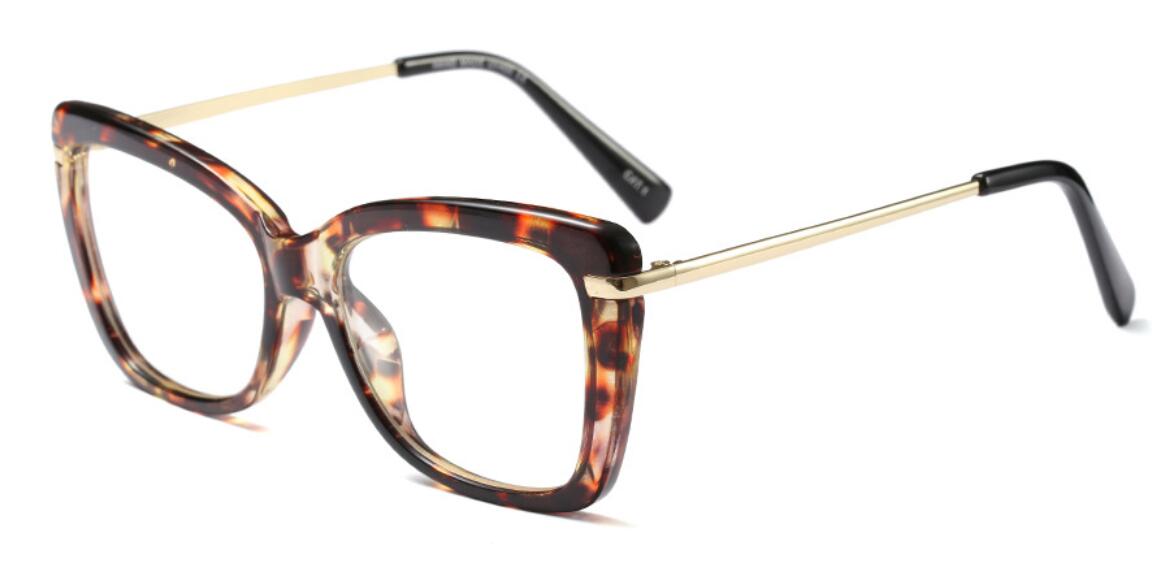
While browsing homepage, I stumbled upon a pair of glasses that caught my eye. They were the Unique Blue Light Filter Square Reading Glasses Frame Jelly Khaki Metal Presbyopic Eyeglasses Antifatigue Computer Eyewear +1.5 0 Regular Clear-c3 amber clear. I was intrigued by their design and the promise of blue light filtering.
I decided to give them a try. The first thing I noticed was the comfortable fit. They're lightweight and don't put pressure on my nose or temples. The jelly khaki frame is also quite stylish. But the real test was how they performed during long hours of computer use.
And I have to say, I was impressed. The blue light filtering definitely made a difference. My eyes felt less strained, and I experienced fewer headaches. The slight magnification helped with close-up work, making it easier to read text on the screen. I also noticed that the glare reduction improved my overall visual comfort.
I also made sure to get lenses with the coating that reduces glare. I found that it was an option on pretty much all glasses. My last ones were Nikon, and while I don’t really need glasses, I wear them when using a computer mostly for the coating rather than the prescription.